
Your car's infotainment system has become the command center for navigation, music, climate, phone calls, and increasingly, vehicle settings. A frustrating interface means daily aggravation for years. Yet car reviews typically spend two paragraphs on these systems. We spent two months systematically testing 15 major infotainment platforms to find which actually work—and which will drive you crazy.
Testing Methodology
We evaluated infotainment systems using a standardized protocol designed to measure real-world usability, not spec-sheet features. Testing occurred across 15 vehicles, each representing their brand's latest system software version as of October 2024.
Response Time Testing
High-speed camera captures measured time from touch to system response. We tested 50 common actions per system—boot time, app launches, menu navigation, scroll performance.
Voice Recognition
100 voice commands per system testing navigation, calling, music, and climate control. Tested with three different speakers (male, female, accented English) in quiet and highway-noise conditions.
Navigation Accuracy
Identical 500-mile route across urban, suburban, and rural environments. Measured ETA accuracy, rerouting speed, POI database quality, and traffic avoidance effectiveness.
User Panel Testing
20 participants (varied ages, tech comfort levels) performed 15 standardized tasks. Measured completion time, error rate, and subjective frustration levels.
Standardized Task List
- Set home address destination
- Add waypoint to existing route
- Connect new Bluetooth phone
- Play specific song via voice
- Adjust climate temperature
- Access vehicle settings
- Enable Apple CarPlay/Android Auto
- Find nearby gas station
- Make hands-free call to contact
- Switch between audio sources
- Adjust display brightness
- Set seat memory position
- Enable driving mode
- Check tire pressure display
- Reset trip computer
Overall Rankings: The Complete Leaderboard
Scoring weighted response time (25%), voice recognition (20%), navigation (15%), smartphone integration (15%), learning curve (15%), and user panel results (10%).
| Rank | System | Score | Best Feature | Biggest Weakness |
|---|---|---|---|---|
| 1 | BMW iDrive 8.5 | 92/100 | Response speed, voice control | Over-reliance on subscriptions |
| 2 | Mercedes MBUX | 90/100 | Voice AI, screen quality | Overwhelming menu depth |
| 3 | Porsche PCM 6.0 | 88/100 | Simplicity, physical controls | Basic voice commands |
| 4 | Hyundai/Kia ccNC | 86/100 | Value, intuitive layout | Slower processor in base trims |
| 5 | Rivian UI | 85/100 | Modern design, OTA updates | Limited third-party apps |
| 6 | Tesla UI | 84/100 | Integration, constant updates | Touch-only climate controls |
| 7 | Ford SYNC 4 | 82/100 | Wireless AA/CarPlay, split-screen | Occasional freezing |
| 8 | Audi MMI | 81/100 | Display clarity, haptic feedback | Cluttered dual-screen layout |
| 9 | Volvo Sensus/Google | 79/100 | Google integration, clean design | Requires Google account |
| 10 | Toyota Audio Multimedia | 76/100 | Reliability, simplicity | Dated graphics, slow response |
| 11 | Mazda Connect | 75/100 | Commander knob control | Small screen, limited features |
| 12 | VW MIB4 | 72/100 | Wireless connectivity | Touch sliders, software bugs |
| 13 | Subaru Starlink | 68/100 | Standard wireless CarPlay | Clunky interface, slow boot |
| 14 | Nissan/Infiniti | 65/100 | Basic reliability | Outdated design, poor voice |
| 15 | GM Ultifi (older) | 62/100 | Large screens available | Lag, confusing menus, bugs |
Response Time: Milliseconds Matter
Human perception notices delays above 100 milliseconds. Lag above 300ms feels "slow." Above 500ms triggers frustration. We measured touch-to-response time across 50 common interactions per system.
Average Touch Response Time (milliseconds)
Boot Time Comparison
Cold boot times—from ignition to fully functional system—varied dramatically. This matters every time you start your car.
Voice Recognition: The Great Differentiator
Voice control should reduce distraction—but only if it works. We tested 100 commands per system across three speakers with different accents, in both quiet cabin and 70mph highway conditions.
| System | Quiet Accuracy | Highway Accuracy | Natural Language | Offline Capability |
|---|---|---|---|---|
| Mercedes MBUX | 96% | 89% | Excellent | Limited |
| BMW iDrive | 94% | 87% | Very Good | Good |
| Volvo (Google) | 93% | 85% | Excellent | None |
| Ford SYNC 4 | 88% | 79% | Good | Basic |
| Tesla | 86% | 75% | Good | None |
| Toyota | 72% | 58% | Limited | Basic |
| Nissan | 68% | 52% | Poor | Minimal |
"Mercedes MBUX understood 'I'm cold' and raised the temperature. BMW understood 'Navigate to the coffee shop I went to last Tuesday.' Toyota required exact phrasing like 'Set temperature to 72 degrees.' That difference transforms daily usability."
�?Testing notes, voice recognition evaluation
Standout Voice Features
Mercedes "Hey Mercedes" Routines
Create custom phrases that trigger multiple actions. "Hey Mercedes, I'm going to work" can set navigation, climate, seat position, and start your podcast simultaneously.
BMW Conversational Follow-ups
After asking for directions to a restaurant, you can say "What's the phone number?" or "Is it open now?" without repeating the destination name.
Volvo Google Assistant Integration
Full Google Assistant capability means controlling smart home devices, getting real-time information, and accessing Google's superior search directly from the car.
Smartphone Integration: CarPlay & Android Auto
For many drivers, Apple CarPlay or Android Auto is the infotainment system—the native interface is just a fallback. We evaluated how seamlessly each system hands off to smartphone projection.
Best Integration
Hyundai/Kia/Genesis
- Wireless CarPlay AND Android Auto standard
- Dual phone simultaneous connection
- Full-screen mode without borders
- Physical buttons still control volume/seek
- Split-screen with native climate
Excellent
Ford SYNC 4, BMW, Porsche
- Wireless both platforms
- Large display utilization
- Quick switching
- Good audio quality
Adequate
Mercedes, Audi, VW
- Wireless available but fussy
- Occasional disconnections
- Reduced display area
Frustrating
Tesla (none), Rivian (limited)
- Tesla: No CarPlay/AA at all
- Rivian: Android Auto only, wired
- Forces use of native apps
"Tesla's refusal to support CarPlay remains baffling. Their native apps are good, but I want my Waze, my Spotify playlists, my podcast app. Being locked into Tesla's ecosystem is the system's biggest weakness."
�?User panel participant feedback
Learning Curve: How Long Until It Feels Natural?
We measured how quickly our 20-person user panel could perform standardized tasks without assistance. The gap between intuitive and confusing systems was stark.
Intuitive Design Winners
Porsche PCM 6.0
Proves simplicity wins. Five clearly labeled tiles on the home screen: Navigation, Media, Phone, Vehicle, Apps. Every function accessible in two taps maximum. Zero hidden menus. Users completed all 15 tasks in under 10 minutes on first exposure.
Hyundai/Kia/Genesis
Smartphone-familiar layout with persistent bottom navigation bar. Drag-and-drop home screen customization. Split-screen multitasking feels natural to anyone who uses a tablet.
Tesla
Controversial but consistent. Everything in one screen, one interface language. No physical buttons mean the learning curve is the touchscreen itself—and most people know how to use touchscreens.
Steep Learning Curves
Mercedes MBUX (Hyperscreen)
Extraordinarily capable but overwhelming. Three screens, gesture controls, voice commands, haptic buttons—there's simply too much to learn. The 300+ page manual isn't a joke. Advanced users love it; typical drivers never discover half its features.
Audi MMI (Dual Screen)
Having separate screens for infotainment and climate sounds logical but creates confusion. Which screen does what? Users constantly touched the wrong one. The haptic-click virtual buttons require precise targeting while driving.
VW MIB4
Capacitive touch sliders for volume and temperature offer zero tactile feedback. Users consistently over- or under-adjusted. The slider to adjust anything requires looking away from the road—exactly what infotainment should prevent.
The Physical Controls Debate
Automakers have waged war on physical buttons, claiming clean design and cost savings. Our testing strongly suggests this is a mistake for safety-critical functions.
Eyes-Off-Road Time for Common Tasks
The Safety Argument
At 60 mph, a car travels 88 feet per second. The 4+ second difference for touch-based heated seat activation means 350+ feet of reduced road attention. Multiply this by dozens of daily interactions. Systems that bury common functions in touchscreen menus create measurably more distraction.
Best Physical Control Implementation
- Mazda: Commander knob prevents any need to touch the screen while driving
- Porsche: Physical toggles for drive modes, climate, frequently-used functions
- BMW: iDrive controller remains, volume knob standard
- Hyundai/Kia: Physical climate controls on all models, volume knob
Worst Offenders
- Tesla: Even windshield wiper speed requires screen interaction
- VW: Touch-sensitive "buttons" with no physical feedback
- Cadillac: Some models lack volume knobs entirely
Individual System Deep Dives
BMW iDrive 8.5 �?Best Overall
Tested in: BMW iX xDrive50, BMW i4 M50
BMW has continuously refined iDrive since 2001, and version 8.5 represents the culmination of that experience. The curved display looks stunning, response times match premium smartphones, and the system offers flexibility that accommodates both tech-savvy and traditional users.
Strengths
- Sub-100ms response time—industry leading
- Retains physical iDrive controller AND touchscreen
- Voice control understands natural language
- Wireless CarPlay/Android Auto excellent
- Customizable home screen widgets
- OTA updates improving continuously
Weaknesses
- Subscription required for many features after 3 years
- Heated seats subscription controversy
- Some menus still too deep
- Gesture control gimmicky
Mercedes MBUX �?Most Advanced
Tested in: Mercedes EQS 580, Mercedes S-Class
MBUX Hyperscreen is the most technologically ambitious infotainment system available. The 56-inch curved display spanning the entire dashboard houses three separate screens, including a dedicated passenger display with its own entertainment options.
Strengths
- Best-in-class voice recognition with "Hey Mercedes"
- Learns user preferences over time (AI-powered)
- Stunning OLED display quality
- Passenger can watch videos while driver sees navigation
- Augmented reality navigation overlay
Weaknesses
- Overwhelming for casual users
- Fingerprint magnet
- Hyperscreen is $7,000+ option
- Many features require Mercedes Me subscription
Tesla �?Most Integrated
Tested in: Tesla Model 3, Tesla Model Y
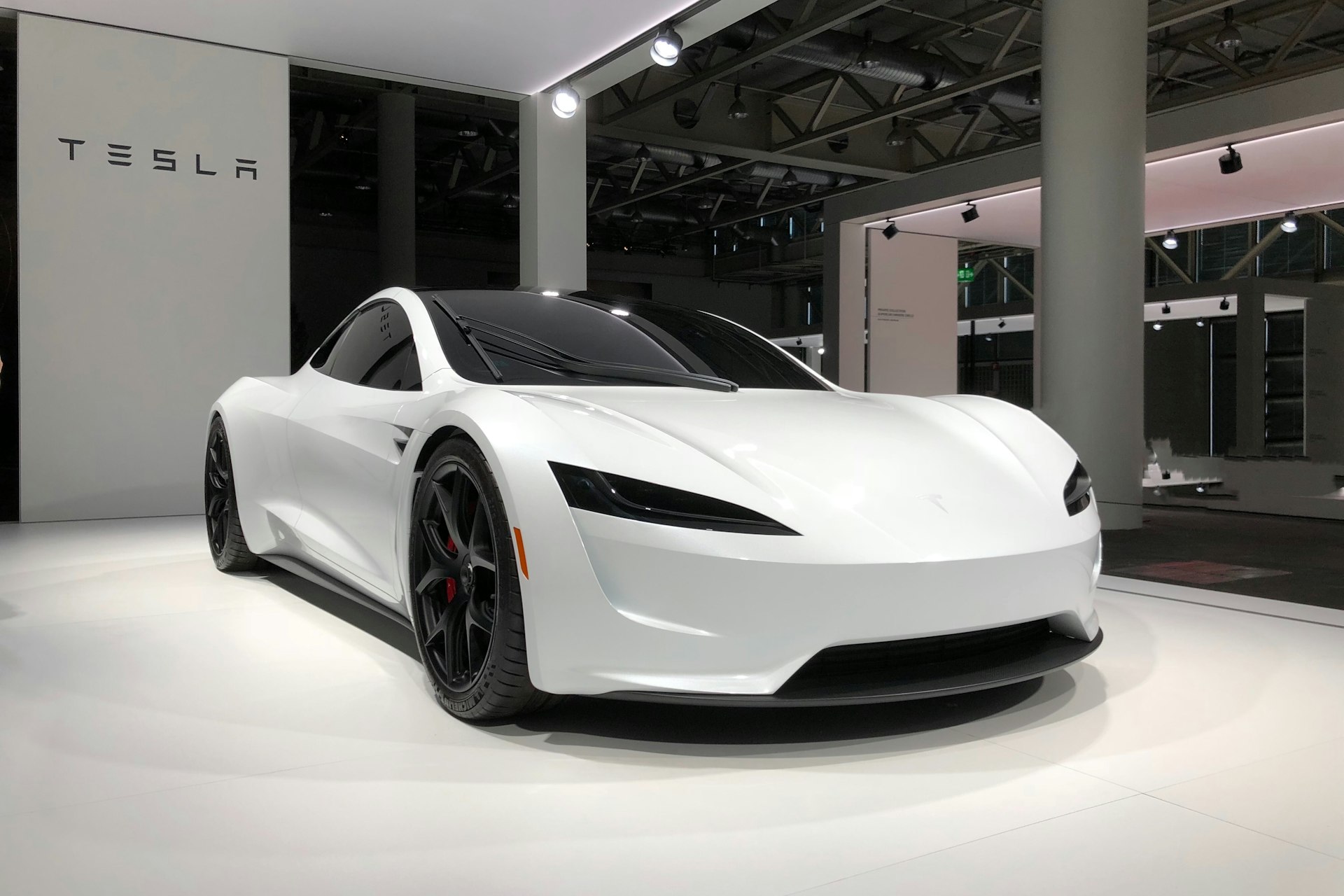
Tesla pioneered the minimalist, screen-centric approach. The entire vehicle is controlled through a single 15-inch touchscreen (Model S/X add a secondary screen). It's divisive—some love the simplicity, others find it frustrating.
Strengths
- Fastest boot time (always-on system)
- Best EV route planning by far
- Continuous OTA improvements
- Gaming, streaming, entertainment options
- Consistent interface language throughout
Weaknesses
- No CarPlay or Android Auto support
- Touch-only climate controls dangerous while driving
- Wiper controls buried in menu
- Must use Tesla apps for music/navigation
Hyundai/Kia ccNC �?Best Value
Tested in: Hyundai Ioniq 6, Kia EV6, Genesis GV60
Korean automakers have rapidly closed the technology gap with German rivals—at half the price. Their connected car navigation and cockpit system offers flagship features in mainstream vehicles.
Strengths
- Wireless CarPlay AND Android Auto standard
- Intuitive interface, short learning curve
- Excellent value—premium features at mainstream price
- Physical climate controls retained
- OTA update capable
Weaknesses
- Voice control good but not class-leading
- Base trims have slower processors
- Native navigation inferior to Google Maps
Our Recommendations
Best Overall
BMW iDrive 8.5
The most complete package: fast, capable, flexible, with options for both touchscreen and physical control. If you can stomach BMW's subscription model.
Best Value
Hyundai/Kia/Genesis
90% of BMW's capability at 50% of the price. Wireless smartphone integration, intuitive design, physical controls where they matter.
Best Voice Control
Mercedes MBUX
If hands-free operation is your priority, nothing matches Mercedes' voice AI. "Hey Mercedes" understands context, remembers preferences, and improves over time.
Best for EV Owners
Tesla
Despite no CarPlay, Tesla's EV-specific integration—Supercharger planning, battery preconditioning, range prediction—remains unmatched for electric vehicles.
Avoid If Possible
VW MIB4, GM (older)
Laggy, buggy, and frustrating. VW's touch sliders are actively dangerous. GM's pre-Ultifi systems feel a generation behind. Check model year carefully.
The Bottom Line
Infotainment systems have become crucial to the ownership experience—you'll interact with yours thousands of times over your vehicle's life. The gap between the best and worst systems is enormous: BMW's sub-100ms response vs. GM's 340ms lag; Mercedes' 96% voice accuracy vs. Nissan's 68%; Porsche's 8-minute mastery vs. Audi's 90-minute learning curve.
Our advice: prioritize infotainment when shopping. Test it during your dealership visit. Try the voice commands. Navigate somewhere unfamiliar. Adjust the climate while "driving." A frustrating system will annoy you daily for years. A great one becomes invisible—helping you without demanding attention.
Key Takeaways
- BMW iDrive 8.5 leads overall with best response time and flexibility
- Mercedes MBUX wins voice recognition with 96% accuracy
- Hyundai/Kia offers best value with flagship features at mainstream prices
- Physical controls significantly reduce driver distraction vs. touch-only
- Tesla remains best for EV-specific integration despite no CarPlay
- Avoid VW MIB4 touch sliders and older GM systems—genuinely frustrating